
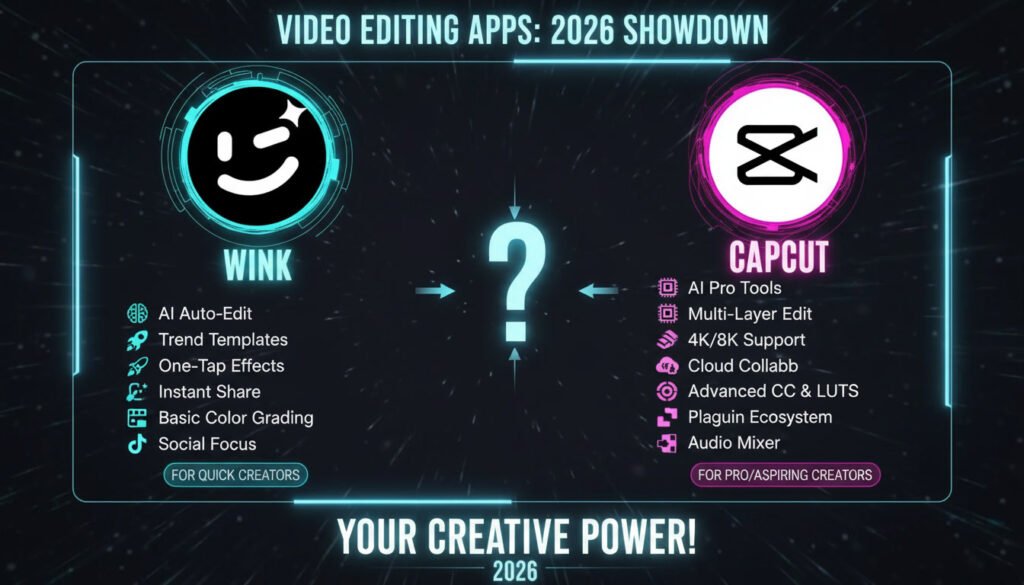
Video editing has become an essential skill in today’s digital era. Whether you are a content creator, vlogger, marketer, or hobbyist, selecting the right video editing app can significantly impact your workflow and results. Among the most popular choices are Wink and CapCut, two apps that cater to different users with unique features and capabilities.
In this article, we’ll provide a detailed comparison of Wink and CapCut, covering their features, usability, advanced tools, AI functionalities, and more. By the end, you’ll have a clear understanding of which app best suits your editing needs—without any pressure to download or purchase.
What Is Wink Video Editor?
Wink is a relatively new video editing app that has quickly gained popularity for its AI-powered tools and beginner-friendly interface. Designed to simplify video creation, Wink allows users to enhance their videos with minimal effort while achieving professional-quality results.
Who Is It For?
- Beginners looking for easy-to-use video editing software
- Users who prefer automated AI features for quick enhancements
- Content creators aiming to create visually appealing videos without a steep learning curve
Problem It Solves
Wink addresses the challenges of time-consuming and complicated video editing. Its AI-driven features allow users to repair video quality, enhance visuals, and apply effects quickly, making it an excellent choice for beginners or casual editors.
Platform Availability
- Android: Available on Google Play Store
- iOS: Available on the App Store
- PC/Web Version: Limited or in beta (check official website)
Key Features of Wink Video Editor
Wink comes with several AI-driven and manual editing features that simplify video creation:
- Video Quality Repair: Automatically enhances video resolution and clarity
- Text and Stickers: Wide range of customizable fonts and sticker libraries
- Audio Editing: Adjust volume, speed, background music, and voiceovers
- AI Tools: Auto-color enhancement, video repair, AI anime effects, and ultra HD output
- Filters and Effects: Quick, visually appealing filters for professional results
- Templates: Pre-built video templates for faster edits
- Basic Editing Tools: Trim, cut, merge, and adjust clips effortlessly
How Wink Works: Step-by-Step Guide
- Open Wink and select a new project.
- Import your video clips from your device.
- Apply AI tools such as video repair or auto-color enhancement.
- Add text or stickers to highlight important elements.
- Adjust audio including background music, volume, and voiceovers.
- Preview the video and make final edits.
- Export in your preferred resolution and format.
Supported Devices & System Requirements
- Android: Version 7.0 or higher, 2GB RAM minimum
- iOS: iOS 12.0 or later
- Storage: At least 500MB free space for smooth editing
- Internet: Required for AI-based features and template downloads
Pros and Cons of Wink
Pros:
- Beginner-friendly and easy to navigate
- AI-powered tools for quick enhancements
- Wide range of templates, stickers, and effects
Cons:
- Limited advanced editing features
- May not meet professional-grade editing needs
- Some features require premium subscription
What Is CapCut?
CapCut is a widely used video editing app developed by ByteDance, the company behind TikTok. It has become a favorite for social media creators due to its robust editing capabilities and seamless platform integrations.
Who Is It For?
- Social media creators producing TikTok, Instagram, or YouTube content
- Intermediate to advanced users seeking control over detailed editing
- Users wanting access to advanced animation, effects, and audio features
Platform Availability
- Android & iOS: Available for download on official stores
- Desktop/Web Version: CapCut Web allows basic editing online
Key Features of CapCut
- Keyframe Animations: Create smooth custom animations
- Auto-Captions: AI-generated captions for multiple languages
- Pre-Built Templates: Hundreds of templates for instant professional results
- Advanced Editing Tools: Multi-layer editing, green screen, speed adjustments
- Effects and Filters: Extensive library for unique visual styles
- Audio Editing: Multi-track editing, voice effects, volume synchronization
- Social Media Integration: Direct upload to TikTok, Instagram, and YouTube
How CapCut Works: Step-by-Step Guide
- Launch CapCut and start a new project.
- Import video clips and arrange them on the timeline.
- Use keyframe animations to create dynamic movements.
- Apply filters and effects for desired visual styles.
- Edit audio tracks, including background music, voiceovers, and effects.
- Add captions or text using AI auto-captioning.
- Preview and export in high resolution.
Supported Devices & System Requirements
- Android: Version 7.0+, 3GB RAM recommended
- iOS: iOS 12.0+
- PC/Web Version: Supported via CapCut Web
- Storage: Minimum 1GB free space for smooth editing
Pros and Cons of CapCut
Pros:
- Advanced editing tools and multi-layer timeline
- Excellent audio editing capabilities
- AI auto-captioning and social media-friendly templates
Cons:
- Complex interface for beginners
- Requires time to master advanced tools
- Some premium features may require in-app purchases
Wink vs CapCut: Side-by-Side Comparison
| Feature | Wink | CapCut |
|---|---|---|
| Overview | Beginner-friendly, AI-powered editing | Advanced features, social media focused |
| Key Features | AI repair, templates, text & stickers, filters, basic edits | Multi-layer editing, keyframes, green screen, AI captions, templates |
| User Interface | Simple and clean | Complex, feature-rich |
| Ease of Use | Gentle learning curve | Steeper learning curve |
| Basic Editing Tools | Trim, cut, merge | Trim, cut, merge, detailed control |
| Advanced Editing Features | Limited, AI-powered enhancements | Extensive, multi-layer & precise control |
| Effects & Filters | Wide range, easy to apply | Extensive library, advanced customization |
| Audio Editing | Basic background music and volume | Multi-track, voice effects, synchronization |
| Performance | Fast and responsive | Handles complex projects, may be slower on older devices |
| Export Options | Multiple formats supported | Multiple formats supported |
| Social Media Integration | Popular platforms supported | Direct TikTok, Instagram, YouTube upload |
| Pricing | Free + affordable premium | Free, some features require in-app purchases |
| Best For | Beginners, personal use | Social media creators, advanced editors |
Is the App Safe to Use?
Both Wink and CapCut are safe for general use if downloaded from official app stores. Users should:
- Avoid third-party APKs or pirated versions
- Regularly update the app for security patches
- Review privacy policies for AI-based features
- Use caution when granting access to personal files
Free vs Premium Features
Wink
- Free: Basic editing, templates, and AI repair
- Premium: Access to full AI tools, additional effects, HD export
CapCut
- Free: Basic and advanced editing tools, AI captions, templates
- Premium: Some templates and advanced features may require in-app purchases
Frequently Asked Questions (FAQs)
Can I use Wink on iPhone and Android?
Yes, Wink is available on both platforms.
Does CapCut support 4K video export?
Yes, high-resolution export is supported.
Is AI editing safe for personal videos?
Both apps handle AI processing locally or securely on servers, but review privacy policies.
Can beginners use CapCut effectively?
Yes, but it requires time to learn advanced tools.
Does Wink offer templates?
Yes, Wink has various templates for quick edits.
Do these apps require internet?
AI features may require internet, basic editing works offline.
Are there ads in the free versions?
Yes, free versions may include ads, removed with premium plans.
Which app is better for TikTok?
CapCut integrates seamlessly with TikTok for uploads and effects.
Can I add my own music?
Both apps allow custom audio tracks.
Is there multi-track audio support?
CapCut supports multi-track audio; Wink supports basic audio editing.
Conclusion
Choosing between Wink and CapCut depends on your editing experience and goals.
- Wink is ideal for beginners, casual editors, and those who want AI-powered enhancements without complexity.
- CapCut caters to intermediate and advanced users, offering powerful tools, multi-layer editing, and social media integration.
Both apps are safe, legal, and suitable for creating professional-looking videos. By understanding your needs, device compatibility, and preferred editing workflow, you can select the app that best aligns with your content creation goals.
Read more: Wink vs Remini: Which Photo Retouching App Should You Choose?